A private, local-first desktop app that turns your Apple Health export into doctor-ready dashboards, clinical-grade ECG prints, and a natural-language Q&A interface over years of cardiac, sleep, activity, and gait data.
Apple Health silently collects hundreds of thousands of measurements every year — heart rate samples, sleep stages, blood oxygen, HRV, gait, audio exposure, ECGs. The Health app shows you yesterday. Health Dashboard shows you the whole story, side-by-side, drillable, exportable, and ready to share with a physician.
Point it at the apple_health_export
folder you got from your iPhone. In about 5 seconds it ingests the full XML
(typically 300,000+ records spanning a year or more), every recorded ECG, and
every daily activity ring into a local SQLite database. Re-import any time —
the database rebuilds from scratch so duplicates are impossible.
Each page is purpose-built for a question a clinician or curious owner would actually ask. Every chart on every page drills down to the day — and every page respects the same date range filter at the top.
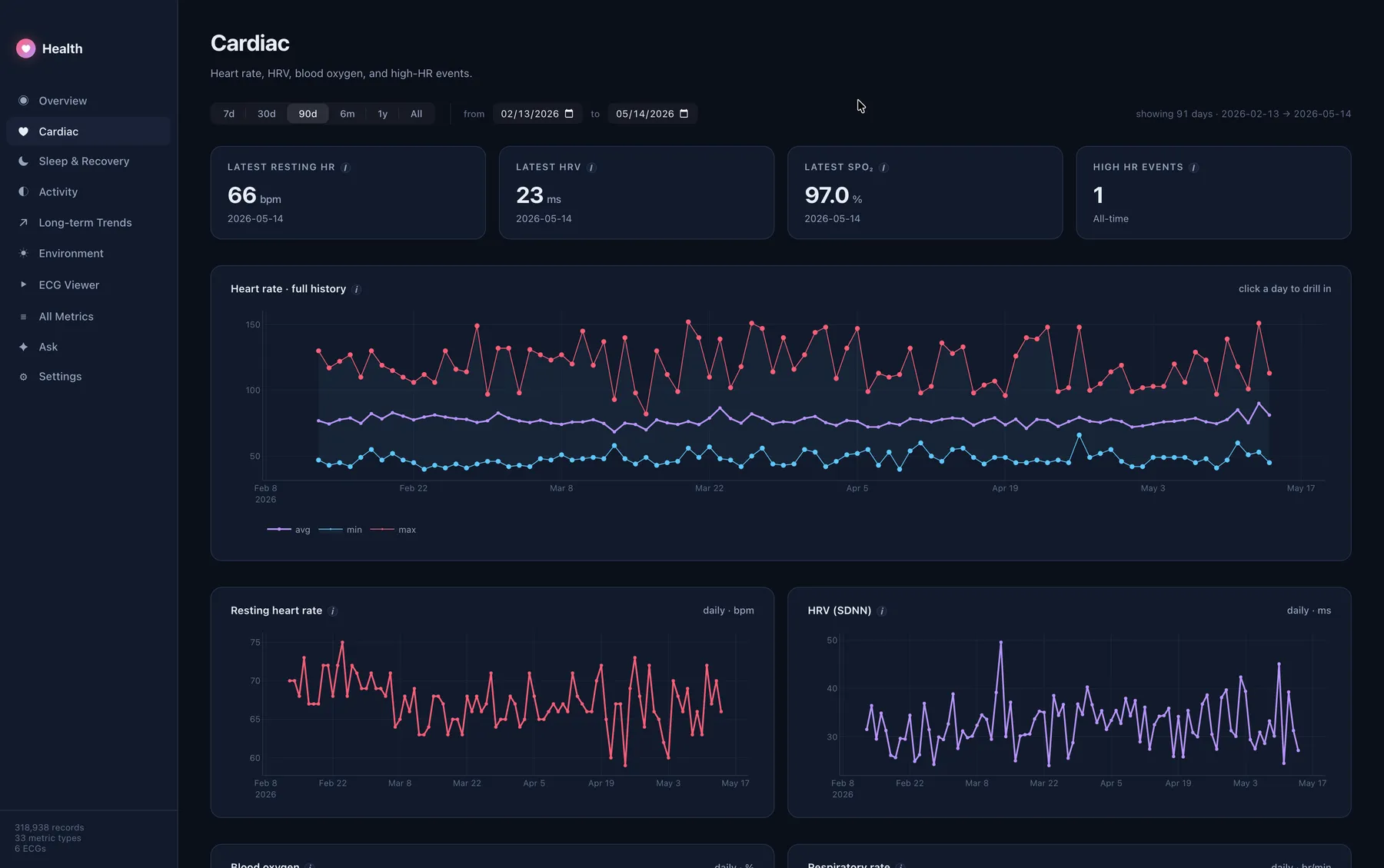
Daily min/avg/max heart rate over your full history, plus resting HR, HRV (SDNN), blood oxygen, respiratory rate, walking HR, and high-HR events. Click any day for a 24-hour minute-by-minute trace.
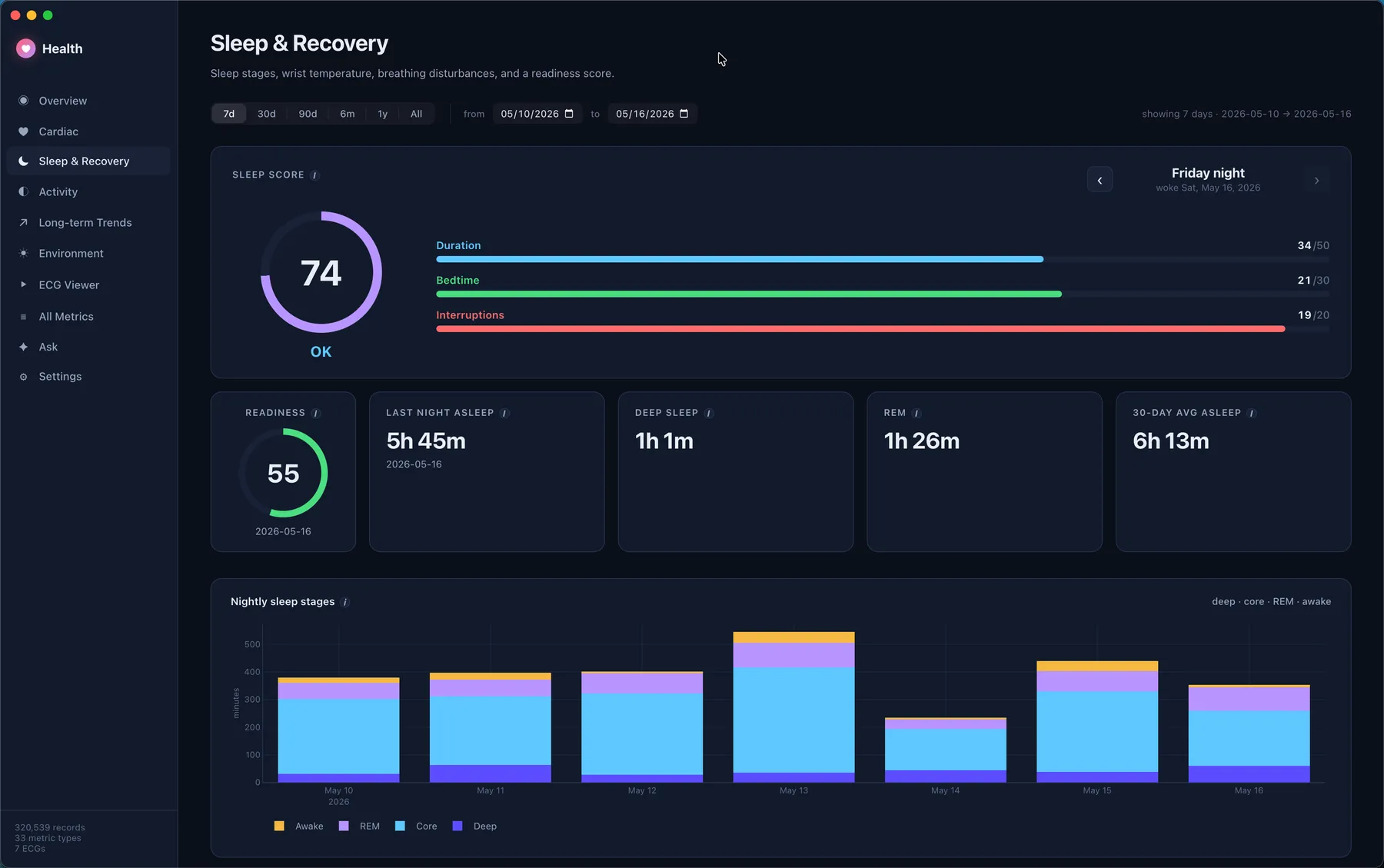
Stacked nightly stages (Deep · Core · REM · Awake), sleeping wrist temperature, breathing disturbances, and a computed readiness score (HRV + RHR + sleep duration + temp deviation vs your trailing 30-day baseline).
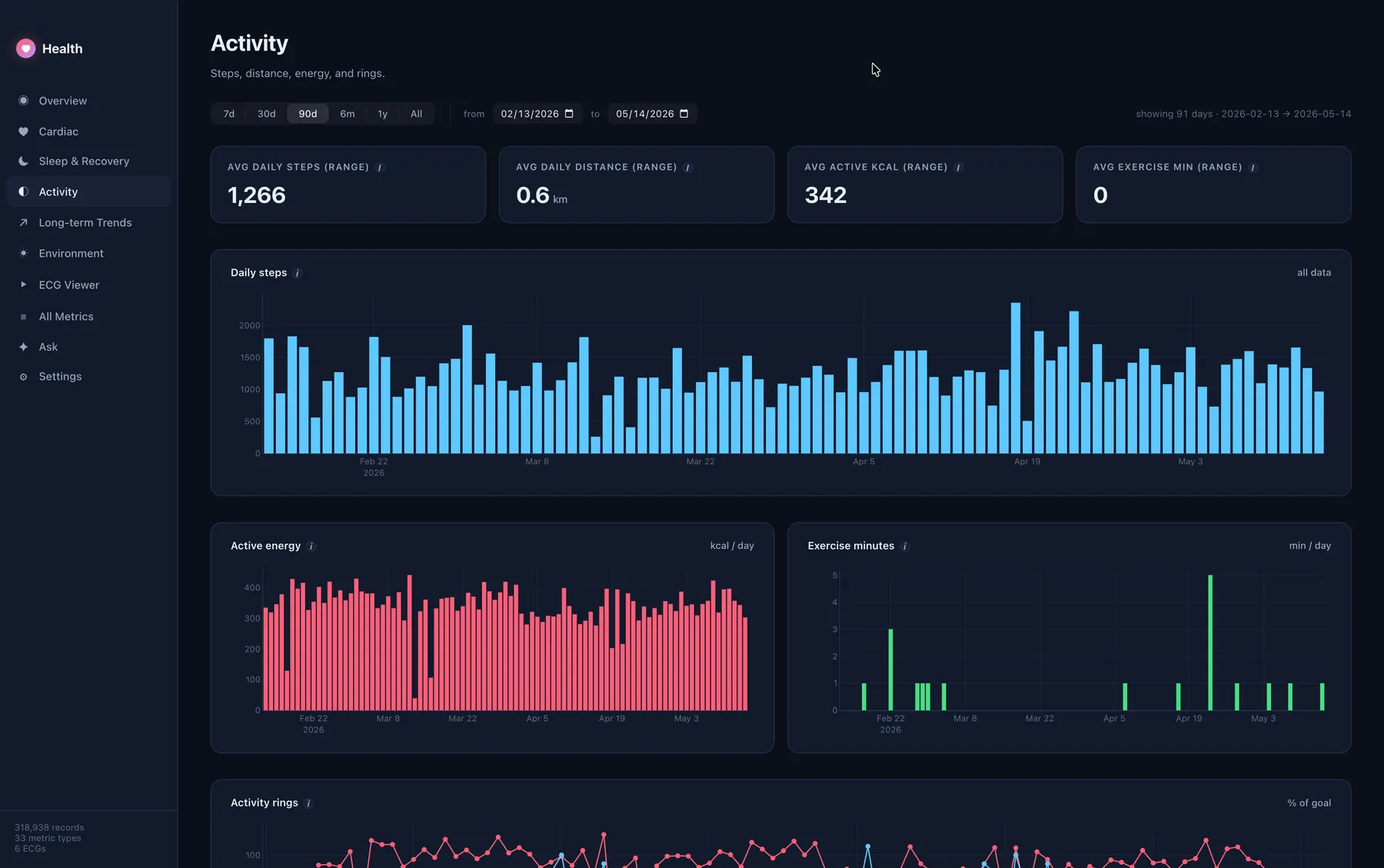
Daily steps, distance, active and basal energy, exercise minutes, stand hours, and ring completion. Drill into hourly samples for any single day.
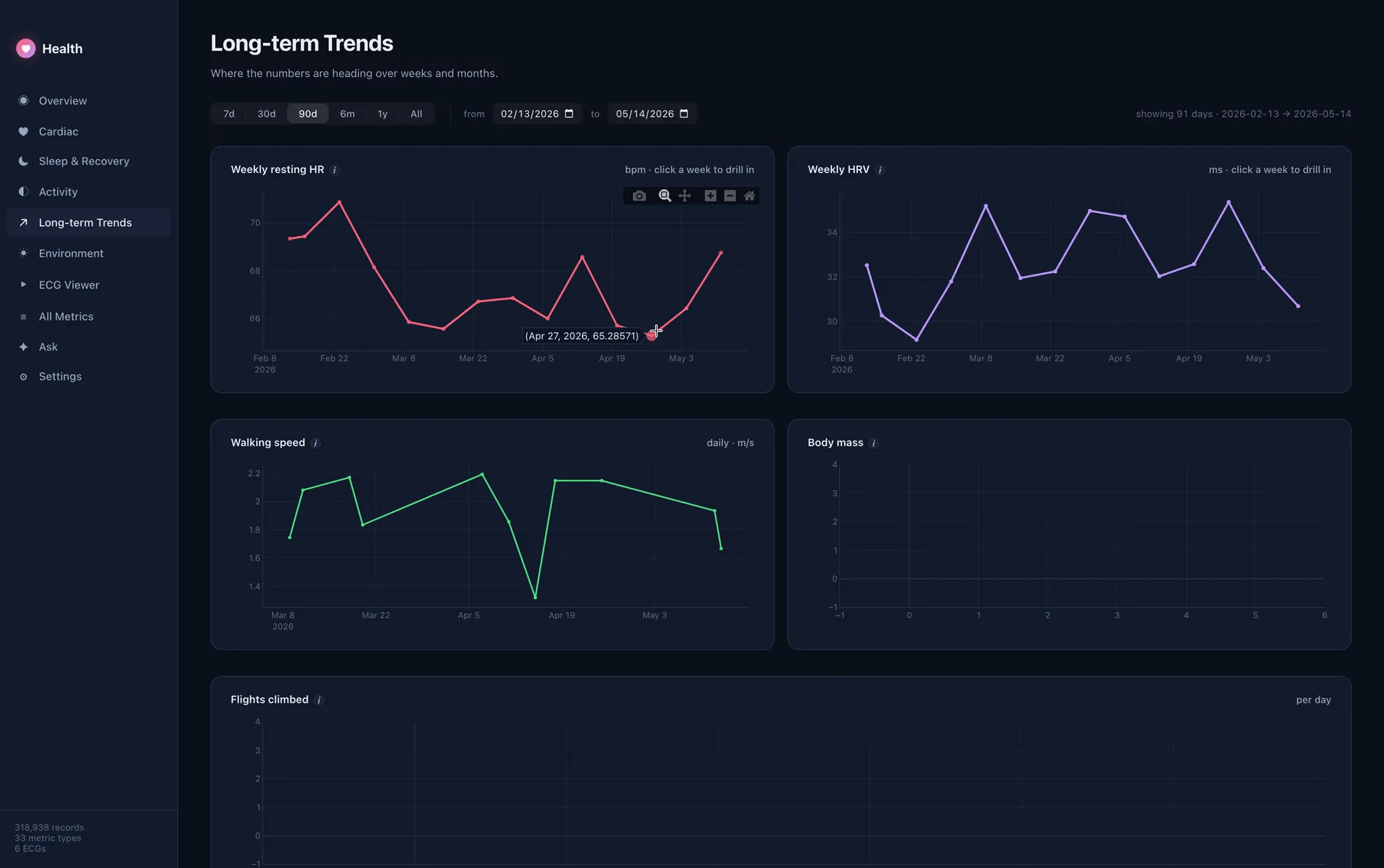
Weekly resting heart rate, weekly HRV, walking speed, body mass, flights climbed. The view a doctor asks for when reviewing the last 6–12 months.
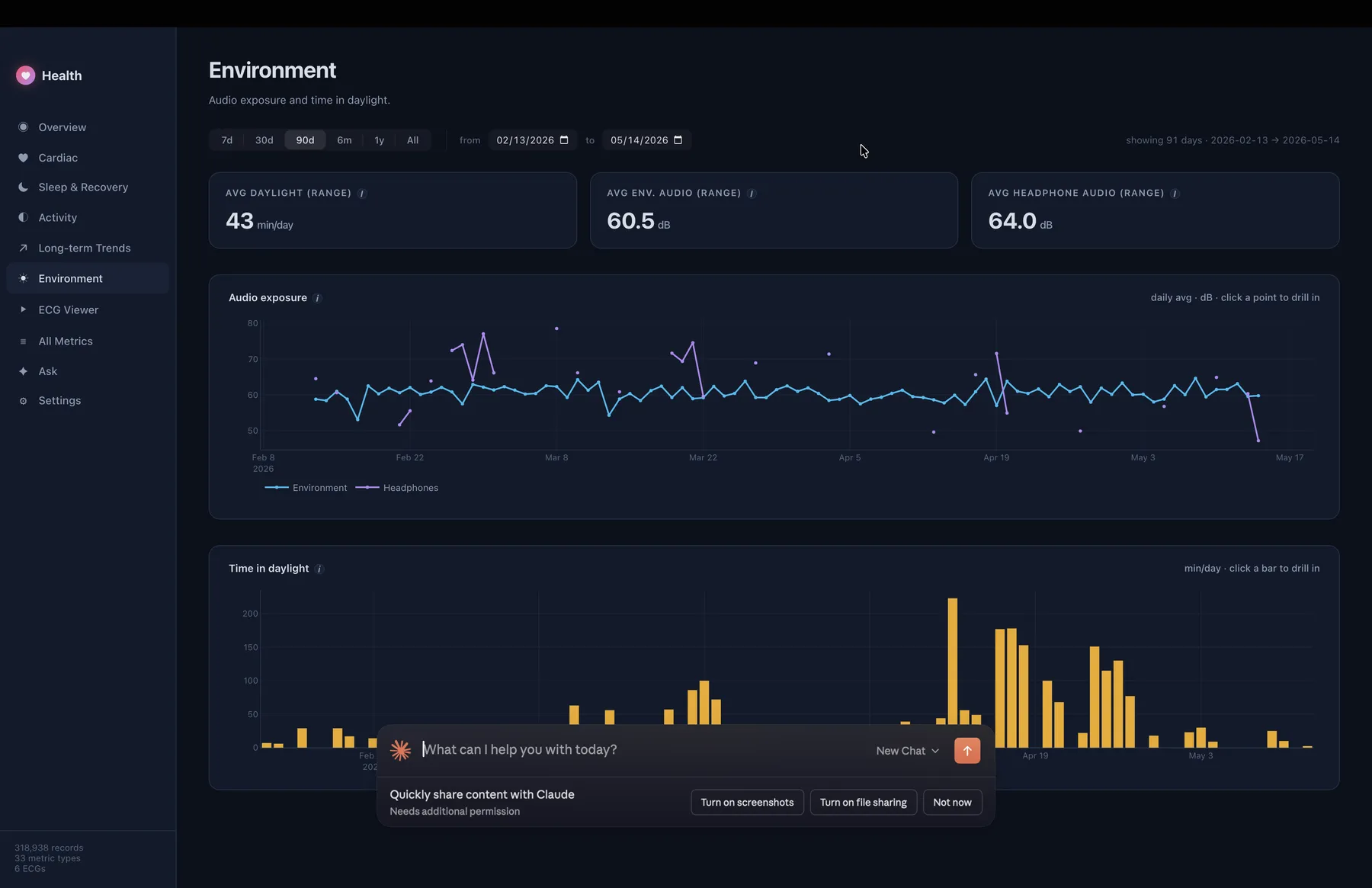
Daily environmental audio exposure, headphone audio levels, and minutes of time spent in daylight. Click a point to see which day spiked.
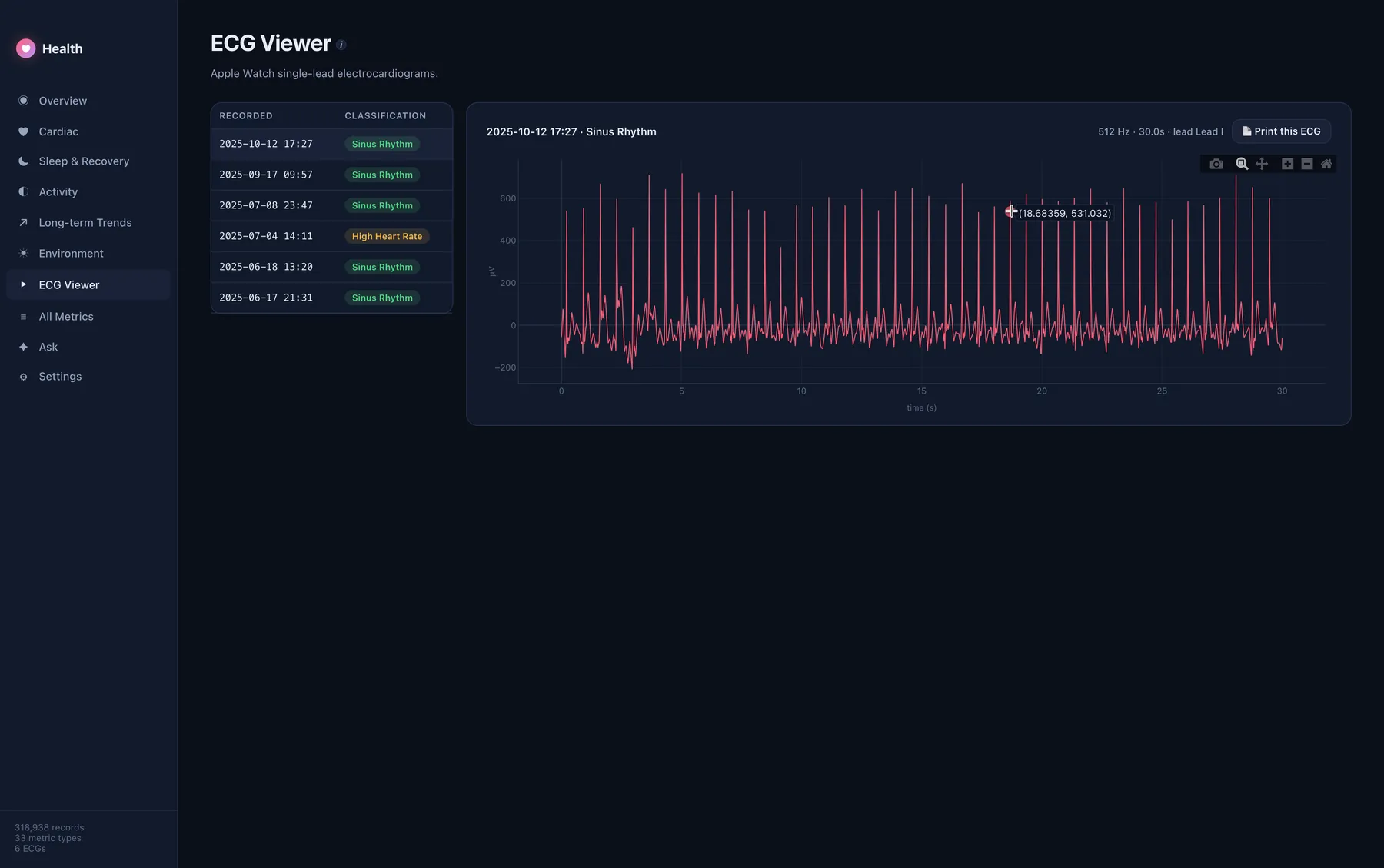
Browse every electrocardiogram your Apple Watch ever recorded with Apple's classification and logged symptoms. One click turns any single recording into a landscape clinical PDF — three 10-second strips on pink grid paper, 25 mm/s × 10 mm/mV scale, calibration pulse, computed BPM. The format a cardiologist already knows how to read.
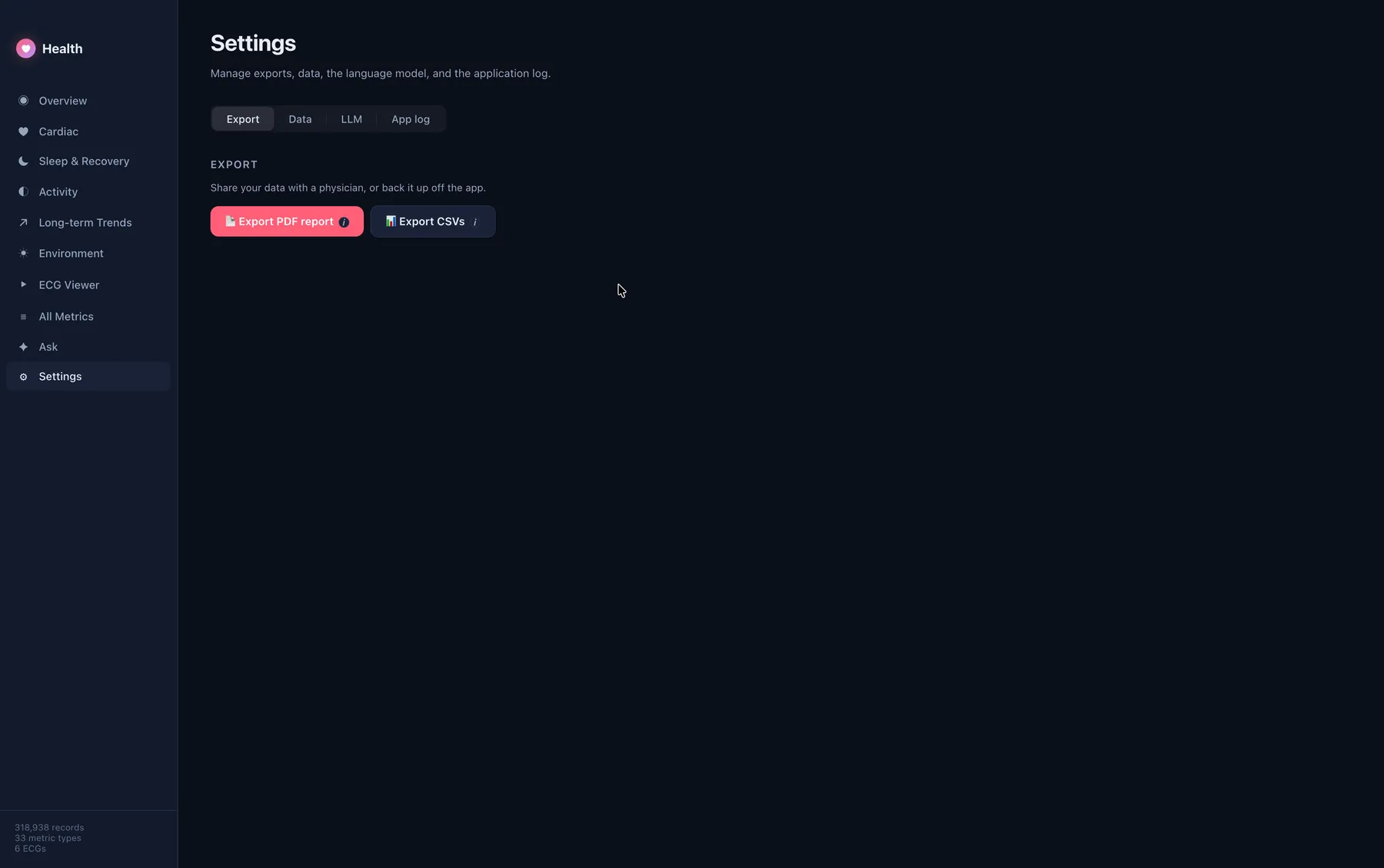
One button generates a multi-page paginated report covering every dashboard view — Overview, Cardiac, Sleep, Activity, Trends, Environment, and every ECG — under a single branded cover page carrying your demographics and the active data window. Every page footer carries the date and the "educational, not diagnostic" line. Walk into your next appointment with it printed.
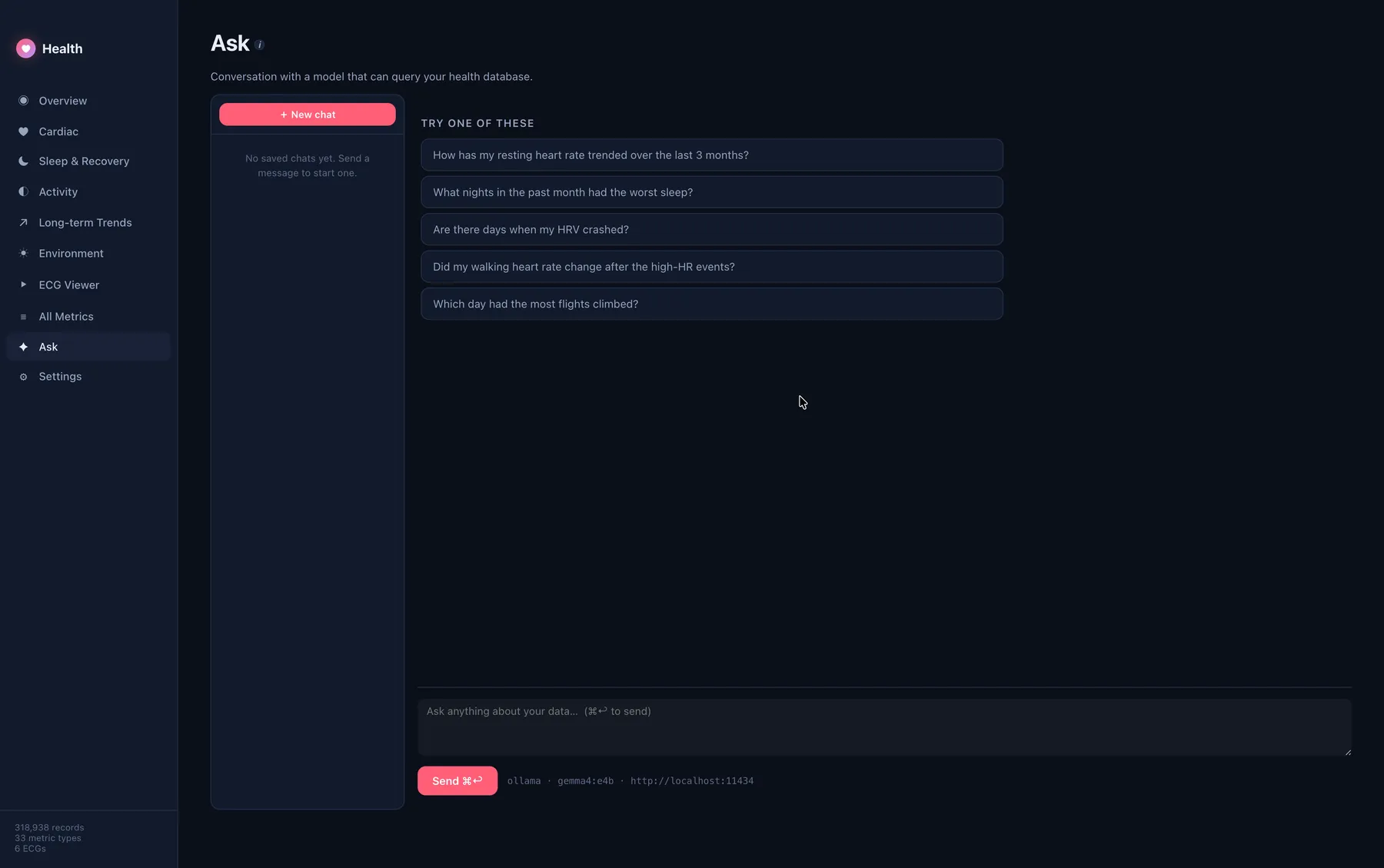
A persistent chat that runs SQL against your data. Switch between OpenAI (cloud) or Ollama (fully local). Past conversations are saved; new chats are one click away.
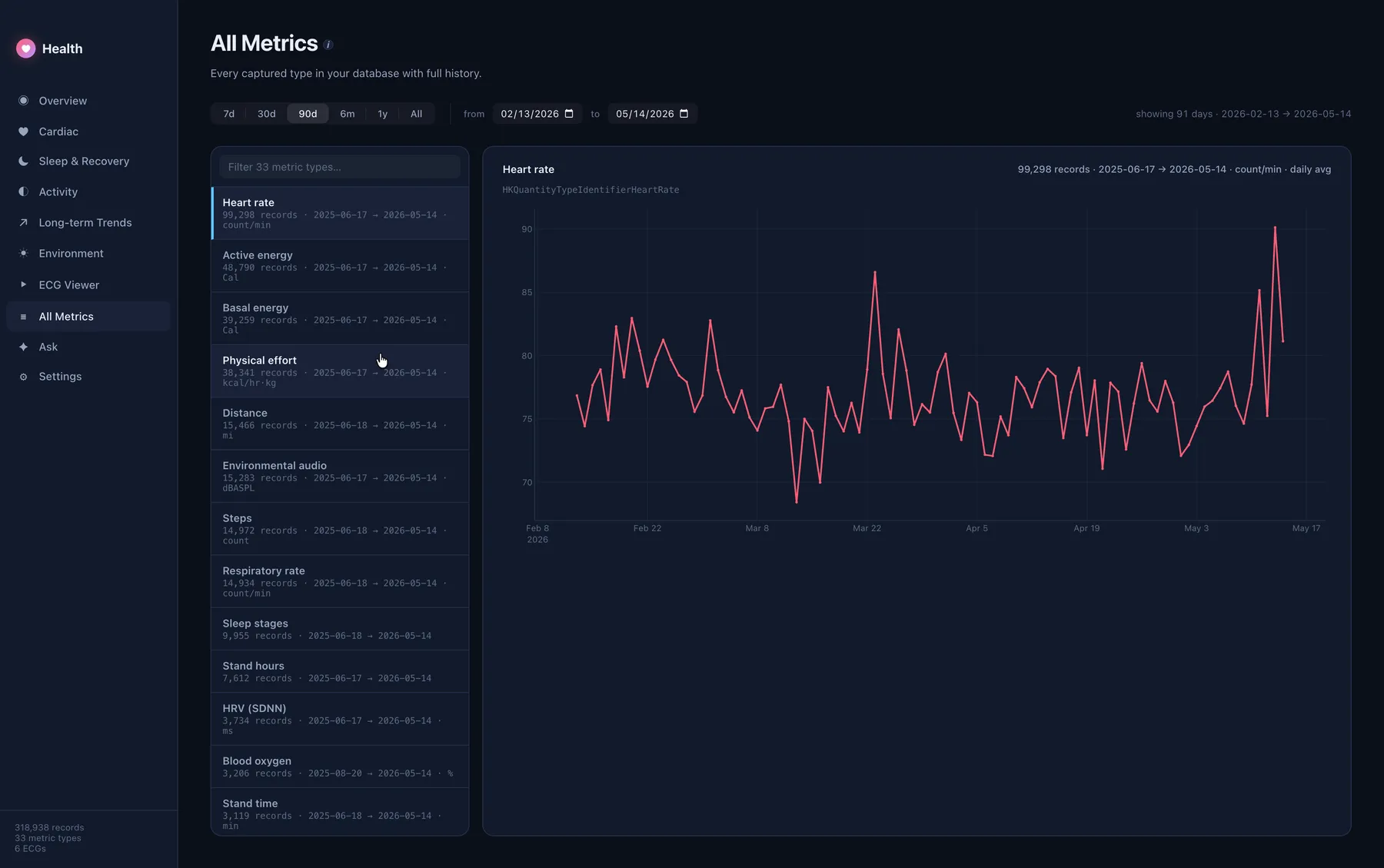
Every one of the 33 HealthKit types your Apple Watch captured, listed with record counts and date ranges. Click any one to chart its full history with zoom controls.
Generate a paginated, branded PDF report covering every dashboard page — Overview, Cardiac, Sleep, Activity, Trends, Environment, and ECGs — in a single click. Includes a cover page with your demographics, data window, and coverage stats. Every chart prints at clinical fidelity. Every page carries a footer with page numbers, the generation date, and the "educational use only" disclaimer.
Or export individual ECGs as standalone landscape prints, formatted exactly like the strips a cardiologist already knows how to read.
Your Apple Watch ECGs sit invisibly inside the export. The viewer lays them out in chronological order with Apple's classification (Sinus Rhythm, AFib, High HR, Low HR) and any symptoms you logged at capture.
One click generates a single-page landscape PDF that looks like the strips a cardiologist already reads every day — three 10-second strips on pink graph paper, a calibration pulse, and computed heart rate. Hand it to your doctor; they'll know exactly what they're looking at.
Ask plain-English questions and get plain-English answers backed by actual queries against your database. "How many days in the past 30 has my heart rate exceeded 100 BPM and give me a count per day."
Use OpenAI's API if you want the strongest model, or run everything fully locally with Ollama — no data ever leaves your Mac in that mode. Conversations are persistent and switchable, exactly like ChatGPT's sidebar.
Health Dashboard is a desktop app, not a service. There's no account, no telemetry, no upload, no analytics. Your data lives in a single SQLite file in your user Application Support directory and is read by code you can audit.
No sign-up, no login, no email collection. Install and use.
The database is a local SQLite file. Nothing is replicated anywhere.
The app makes zero outbound network calls except to your chosen LLM provider — and only when you click Ask.
Run Ask against a local Ollama model and even your questions stay on your Mac.
One button in Settings wipes the database, log, and every preference instantly.
The app is Apple-signed and notarized — Gatekeeper validates the binary you launch is unmodified.
Universal Mac builds, signed by Developer ID Application: David Soden and notarized by Apple. Gatekeeper accepts both on first launch.
Not sure which? Apple menu → About This Mac. "Apple M1/M2/M3/M4" → arm64. "Intel Core" → x64.
Latest version: loading…
On your iPhone: Health app → profile photo (top right) → Export All Health Data. You'll get a zip — unzip it, point Health Dashboard at the folder, done.
Highly variable. A year of typical Apple Watch use produces ~300,000 records and an XML around 150 MB. The full ingest finishes in about 5 seconds on a modern Mac and the resulting SQLite database is around 60 MB.
No. The Ask feature is optional. Without it the dashboards still work fully. If you want Q&A, you can either use OpenAI's API (paste a key in Settings) or run a local model via Ollama — in which case nothing leaves your Mac.
No. It reads the export file you provided and never connects to Apple Health, iCloud, or your iPhone. The database it builds is a local SQLite copy.
Fix it on your iPhone first: Health app → profile → edit. Then re-export and re-import in the app. The dashboard reflects whatever your Apple Health profile says, verbatim.
No. This is an educational tool. Every chart and PDF carries a clear disclaimer. If anything in your data concerns you, see a physician — and bring the PDF.
Not yet. The current build is macOS-only — Apple Silicon and Intel. The codebase is Electron + React + SQLite, so a Windows/Linux port is feasible but not on the roadmap right now.